

 CASE STUDY
Designing a Secure Online Vote for Staff Delegate Elections
company overview
Project Background
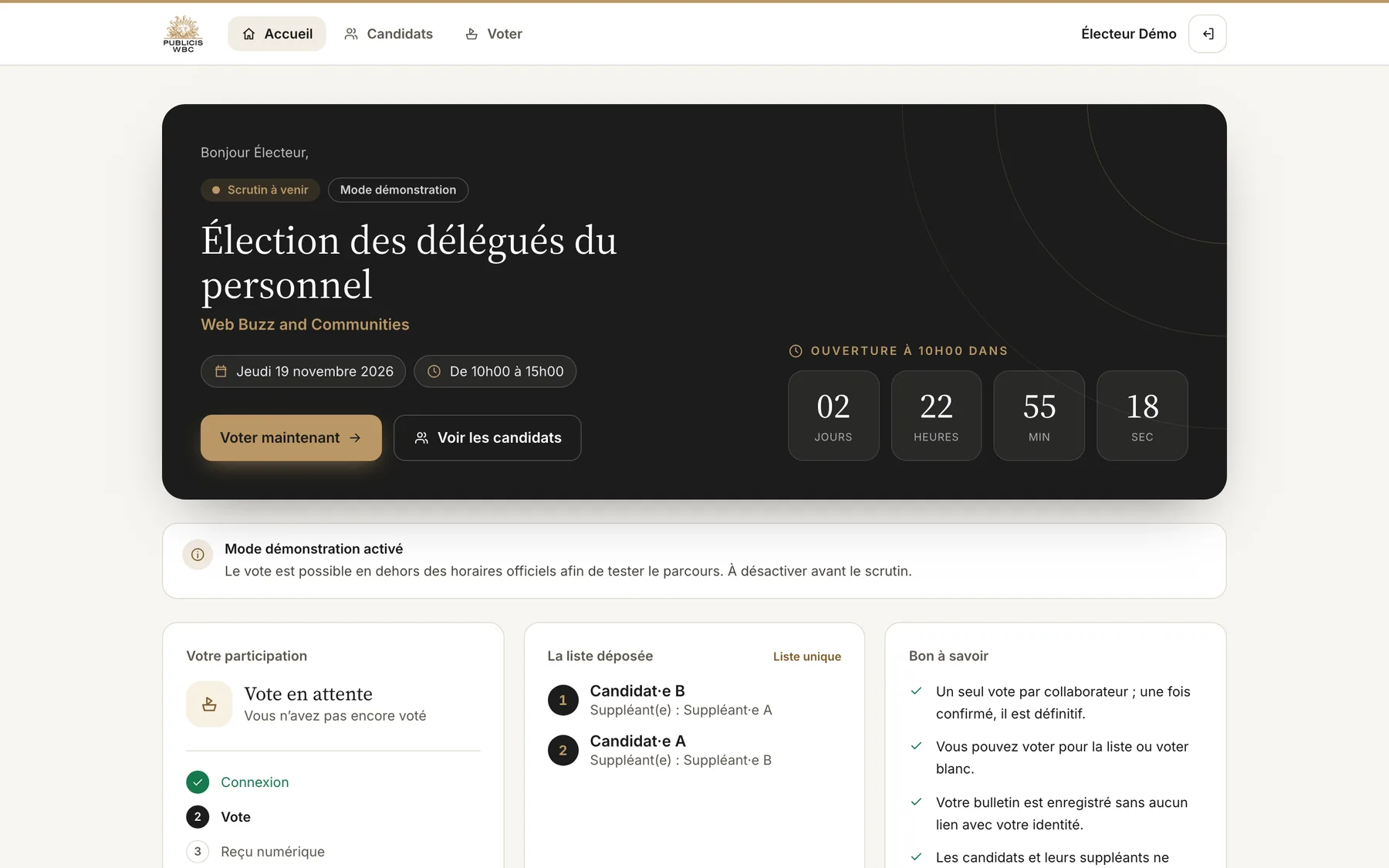
Web Buzz & Communities (Publicis WBC) had to organise the election of its staff delegates. The electoral committee set a single voting day, Thursday 19 November 2026 from 10:00 to 15:00, with one list of candidates and their substitutes.
The goal was to let every employee vote online from their own computer or phone in a couple of minutes, with the same guarantees as a paper ballot box.

 Goal
Offer a voting experience that is simple, accessible on mobile and above all trustworthy: one vote per employee, a truly secret ballot, and real-time oversight for the electoral committee without ever revealing anyone’s choice.
ProblemMoving an election online raises questions that a paper ballot box answers on its own:
- How to guarantee the secrecy of the vote, even towards the administrators of the platform?
- How to make double voting impossible, even with two clicks at the same time?
- How to apply the committee’s rules: opening hours, and candidates and substitutes who are not allowed to vote?
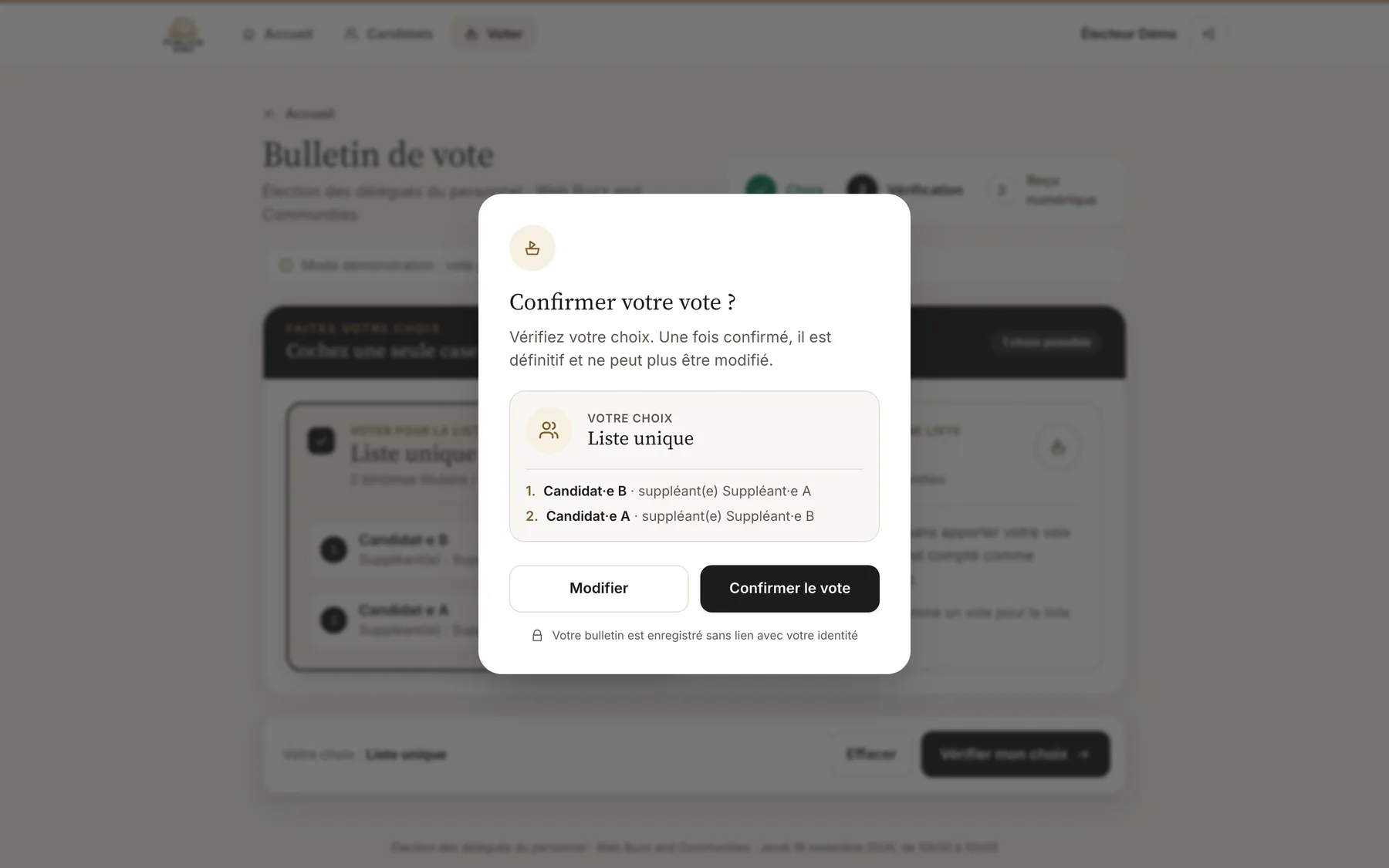
- How to make a final, irreversible choice feel clear and reassuring?
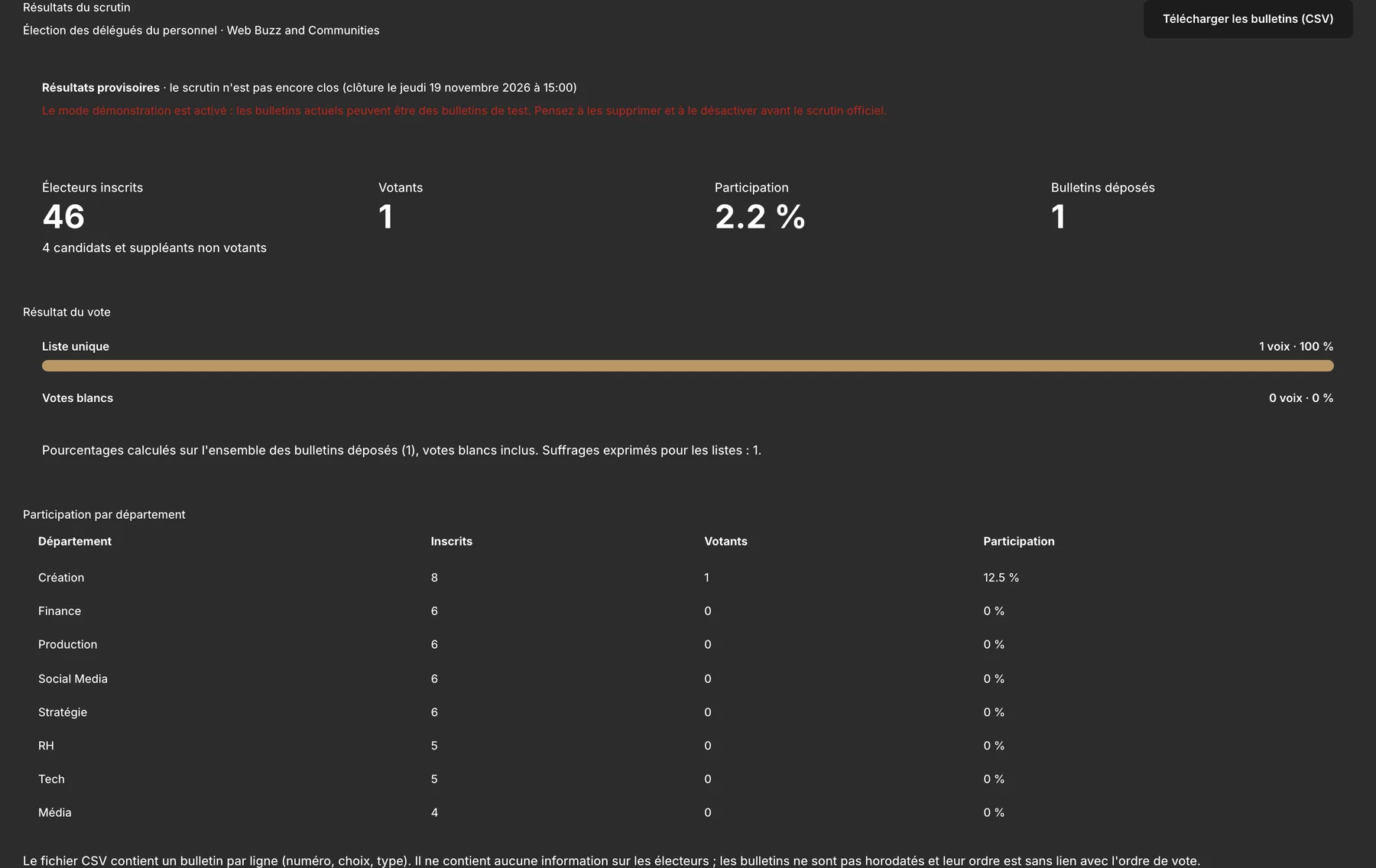
- How to follow turnout live without exposing who voted for what?
User journey
Voting in four steps
- 1
Sign in
Professional email and a temporary password, then each employee chooses their own password at first login.
- 2
Discover the list
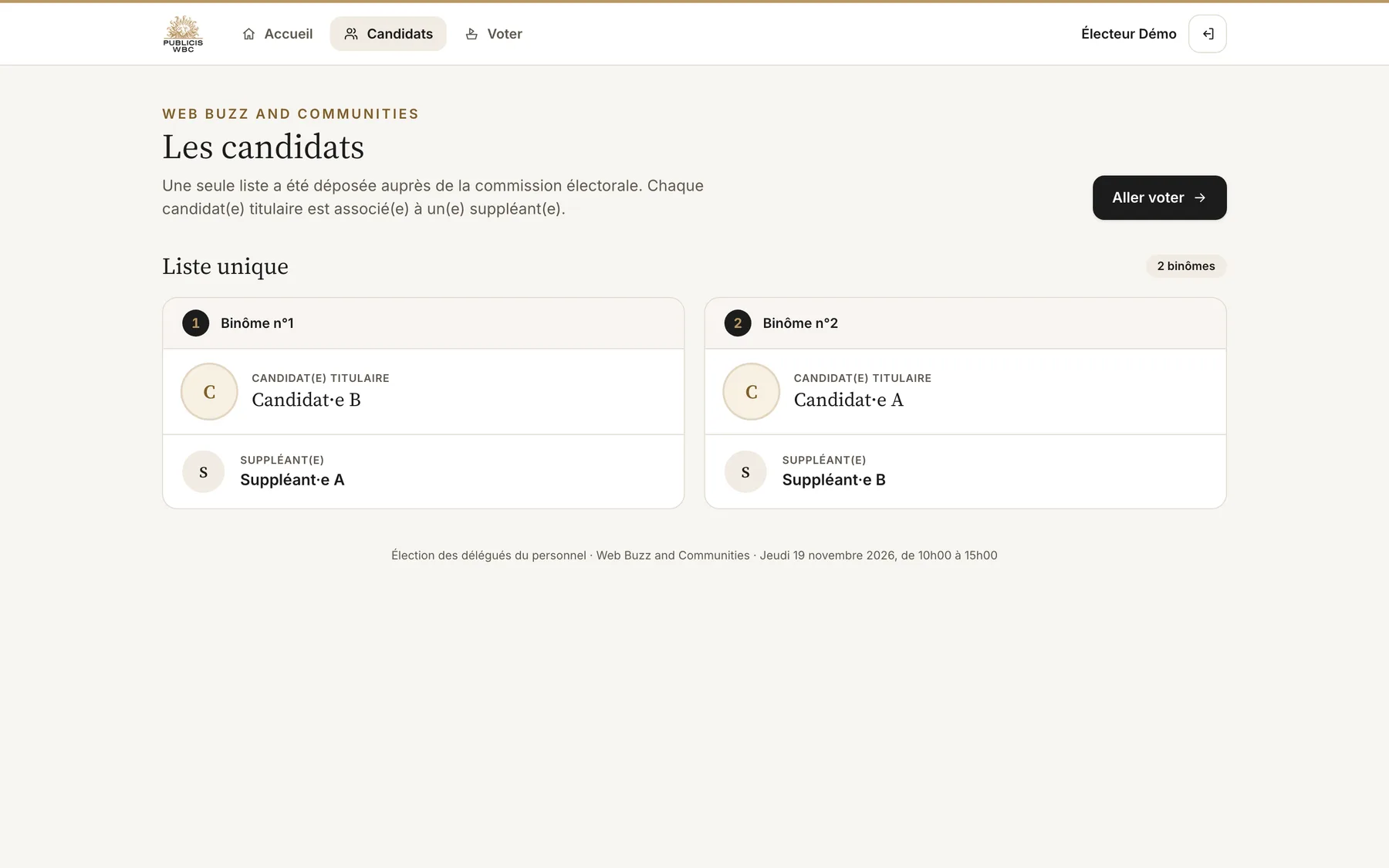
The candidates and their substitutes, in the order of the list filed with the committee.
- 3
Make your choice
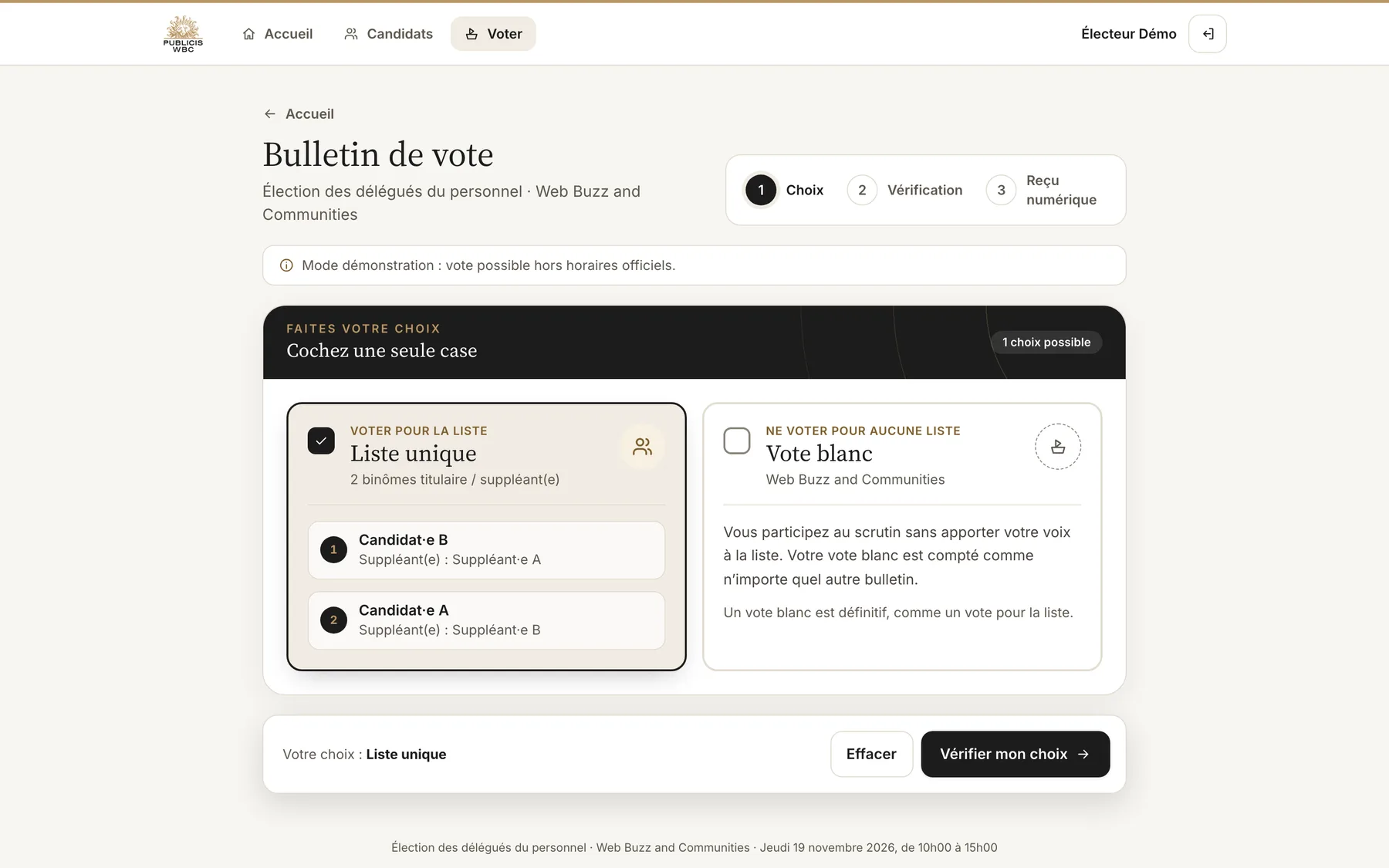
The list or a blank vote, a single box, then a review screen before the final confirmation.
- 4
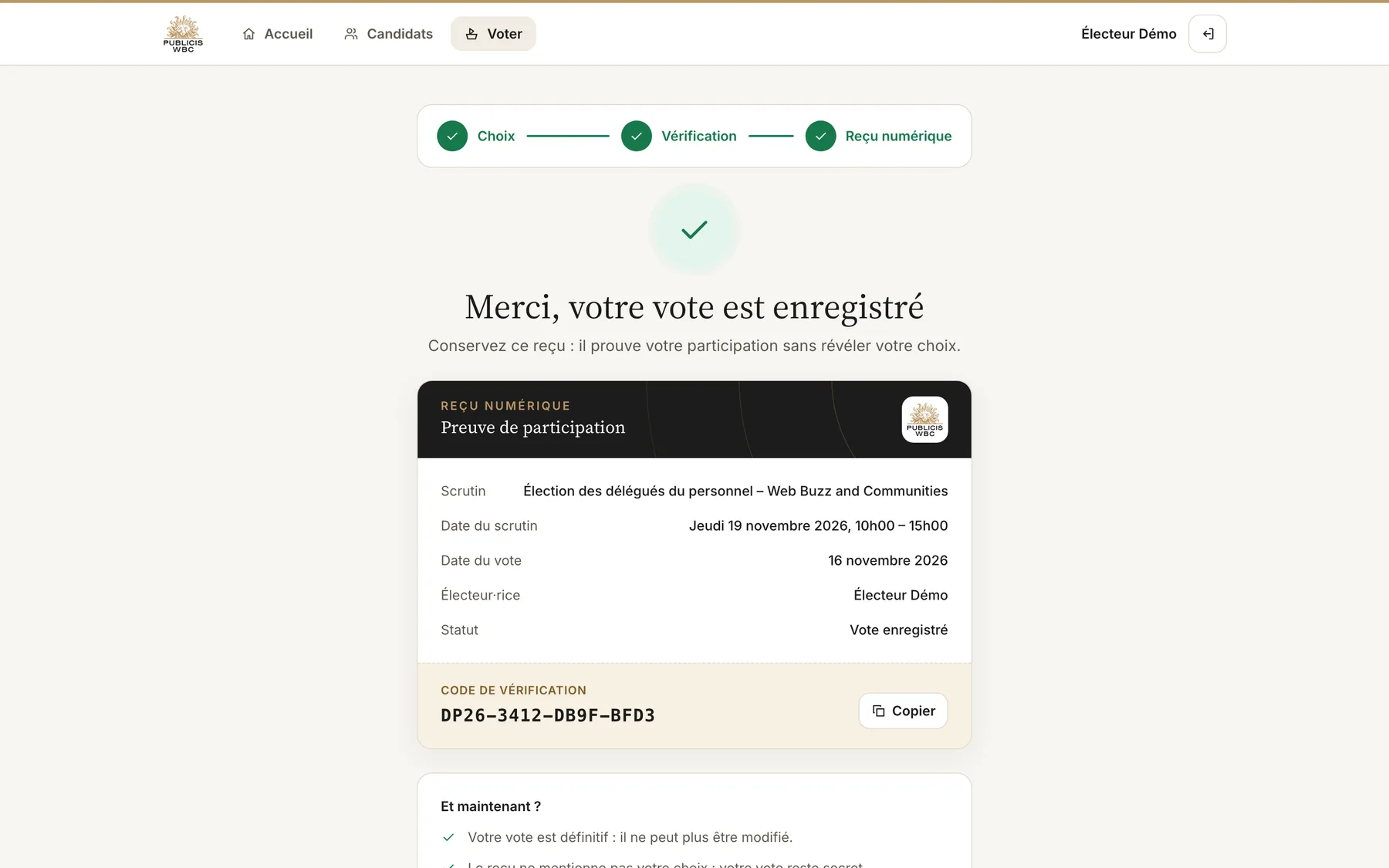
Get your receipt
A unique verification code that proves participation without revealing the choice.
 KEY FEATURES
- Secret by design : a ballot only stores the choice: no link to the voter and no timestamp. Voter accounts keep no trace of the time they voted.
- One person, one vote : the right to vote is reserved in a single atomic operation, so two simultaneous submissions can never both count.
- Rules enforced on the server : voting window, candidates and substitutes excluded, exactly one choice (the list or a blank vote).
- Digital receipt : a verification code to keep as proof of participation.
- Committee back-office : election settings, employee import from a CSV file, list management, live turnout by department, results and an anonymous CSV export of the ballots.
- Security : 15-minute sessions, account locked after 5 failed attempts, HTTP-only session cookies and protection against cross-site requests.
Design
A calm, institutional interface
An election deserves a quiet, serious tone. The interface uses a warm neutral palette with the gold of the Publicis WBC identity, generous spacing and large touch targets designed mobile first.
Every moment that matters is made explicit: the status of the election (not yet open, open, closed), a step indicator, a confirmation dialog that reminds the vote is final, and a clear “thank you” screen with the receipt.
 CONCLUSION
The platform turns a paper process into a vote that takes a couple of minutes, while keeping its core guarantees: secrecy, one vote per person and transparency for the committee. Designed and built end to end with Figma Make and Claude, then converted into a self-hosted Next.js and Payload CMS application ready for election day.
- Figma Make
- Claude
- Next.js
- Payload CMS
- Tailwind CSS